The RAID MASTER for Thunderbolt has been downloaded from the website, but it·s not working!
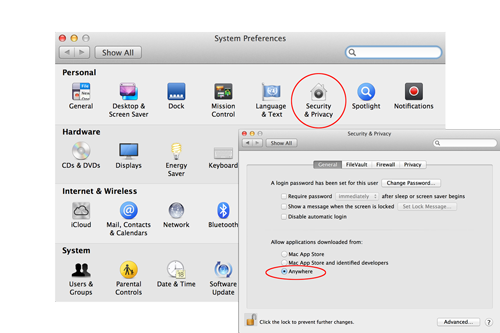
First, check the System Preferences under Mac's OS and select Security & Privacy. The "Allow applications downloaded from" option should be set to "Anywhere", in order for the download process to work properly.
Then, if it is still not working properly, please re-start the host computer. The RAID MASTER should open successfully.
Then, if it is still not working properly, please re-start the host computer. The RAID MASTER should open successfully.